Home › Platforms › Stripchat + Cam4
Stream to Stripchat and Cam4 at once
Stripchat and Cam4 can share a single OBS stream through Stream-Split. Both sites have their own start button, and their keyframe advice differs; here's what that means for you.
Start freeTwo keys, one dashboard
Both go into your Stream-Split dashboard through + Add a site, key only:
- Stripchat: Broadcast Center → Set Up Broadcast → switch to OBS → View OBS Setup Guide → Copy next to Stream key (Token). Steps: Stripchat OBS setup.
- Cam4: open its Broadcast window, choose External Encoder, then Get Stream Key and copy what appears (Cam4 OBS setup).
Neither site's server is needed. OBS gets only your Stream-Split server and key, and Stream-Split hands the stream to both.
The numbers: Cam4 sets the floor
With both added, the Set up OBS panel asks for at least 4,000 kbps: Cam4 is the lower bound here. Stripchat takes up to 6,000 kbps at 1080p, so our standard 5,000 suits both; Cam4 accepts 5,000 in our testing. Keep 30 fps: both document 30.
Their keyframe advice differs: Cam4 asks for 1 second, Stripchat's panel calls 2-5 seconds good. We use 1 second, which is Cam4's figure and lets Stream-Split swap a site between Live, Away and Blur faster; it's what your dashboard's Set up OBS panel shows. Every other setting: OBS settings for cam streaming.
Stripchat vs Cam4 at a glance
| Stripchat | Cam4 | |
|---|---|---|
| Key is called | Stream key (Token) | Stream Key |
| Copying it | Copy button | Get Stream Key, then copy |
| Goes live | When you start the show on Stripchat | When you click Go Live in Cam4's Broadcast window |
| Bitrate at 1080p | Up to 6,000 kbps | 4,000 kbps in its table |
| Keyframe | 2-5 s | 1 s |
Two start buttons
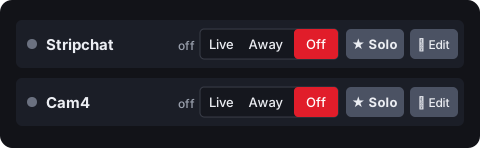
Here neither site goes live on its own. Once your stream arrives, start your show on Stripchat, and in Cam4's Broadcast window (External Encoder selected) click Go Live. Both dashboard rows must be on Live first: Go live everywhere under When I start in OBS handles that when OBS connects, or with Keep all off you set each row yourself.
Questions
- Should I send 4,000 or 5,000 kbps?
- Either works for this pair: the dashboard asks for 4,000 or higher. Use 5,000 if you also stream to a site like Chaturbate, which needs at least 5,000 at 1080p.
- Which keyframe should I use for Stripchat and Cam4?
- 1 second, the setting in your dashboard's Set up OBS panel. It's exactly what Cam4 asks for; Stripchat's panel says 2-5 seconds is good.