Home › Platforms › Chaturbate + Stripchat
Stream to Chaturbate and Stripchat at once
One OBS stream, live on both sites through Stream-Split. The two sites differ in a few ways that matter when you run them together: how you copy each key, which bitrate keeps both happy, and how each one goes live.
Start freeAdd both sites
Each site needs only its own key in your Stream-Split dashboard, added with + Add a site:
- Chaturbate calls it your broadcast token. It sits in a box with no Copy button, so select it and copy it. Where to find it: Chaturbate OBS setup.
- Stripchat calls it Stream key (Token), with its own Copy button. Where to find it: Stripchat OBS setup.
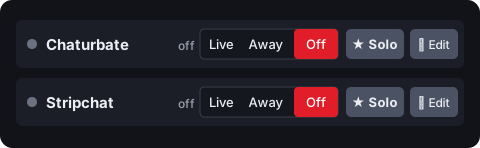
You end up with two rows, each switched on its own. OBS sends one stream to Stream-Split, using your Stream-Split server and key, never either site's key.
One bitrate for both: 5,000 kbps
Both sites get the same stream, so they get the same settings. With both added, your dashboard's Set up OBS panel says "Best fit for your 2 sites — send 5,000 kbps or higher (Chaturbate sets the floor)." That's because Chaturbate has a minimum bitrate per resolution, 5,000 kbps at 1080p, and flags streams that fall below it, while Stripchat takes up to 6,000. So 1080p at 5,000 kbps suits both.
Both take 60 fps: Chaturbate supports it, and Stripchat accepts it too (its panel lists 30, but viewers can switch a 60 fps stream between 60 and 30). So with just these two, 60 fps is an option if your camera really films at 60 and your upload can carry at least 7,500 kbps: Chaturbate flags 1080p at 60 fps below that (5,000 is only its 30 fps figure), and Stripchat accepts 7,500 in our testing. Keep 30 if you add Cam4, CamSoda or BongaCams. If your connection can't hold 5,000, use 720p at 3,000 kbps, which is Chaturbate's 720p minimum. Everything else: OBS settings for cam streaming.
How the two compare
| Chaturbate | Stripchat | |
|---|---|---|
| Key is called | Broadcast token | Stream key (Token) |
| Copying it | Select and copy (no button) | Copy button |
| Goes live | As soon as a stream reaches it | When you start the show on Stripchat |
| Resolution | 240p up to 4K | Up to 1080p |
| Frame rate | 24-30, or 48-60 | 30 listed; takes 60 |
| Bitrate at 1080p | 5,000-8,000 kbps (5,000 minimum) | Up to 6,000 kbps |
| Keyframe they publish | 2-5 s suggested | 2-5 s |
| New key button | Generate New Token | Generate new key |
We use a 1-second keyframe on both: it lets Stream-Split swap a site between Live, Away and Blur faster.
Going live on both
The two don't start the same way. Chaturbate is live the moment your stream reaches it; Stripchat waits until you start your show on Stripchat. So with When I start in OBS: Go live everywhere, clicking Start Streaming puts you on Chaturbate straight away, and you then start your show on Stripchat as usual. With Keep all off, neither gets anything until you set its row to Live.
Privates: if someone takes you private on either site, click ★ Solo on that site's row. It stays live and the other site goes to Away or Off, whichever you've picked under When I Solo a site, others go. When it ends, Go Live puts every site back live.
Questions
- Can I send a different bitrate to each site?
- No. OBS sends one stream and both sites receive exactly that stream, so pick settings that suit both: 1080p at 5,000 kbps.
- Do I need two copies of OBS?
- No. One OBS, one stream to Stream-Split, and the dashboard sends it on to both sites.
- My room is live on Chaturbate but not on Stripchat. Why?
- Stripchat needs you to start the show there; Chaturbate goes live as soon as video arrives. Check also that the Stripchat row in your dashboard is set to Live.