Home › Platforms › Chaturbate + Cam4
Stream to Chaturbate and Cam4 at once
One OBS stream on Chaturbate and Cam4 together, through Stream-Split. Cam4's published bitrate is lower than Chaturbate's minimum, and the two go live differently; here's how to handle both.
Start freeAdding Chaturbate and Cam4
Add Chaturbate and Cam4 in your Stream-Split dashboard with + Add a site; each needs only its key:
- Chaturbate: the token under View RTMP/OBS broadcast information and stream key, on your broadcast page (Chaturbate OBS setup).
- Cam4: Broadcast window → External Encoder → Get Stream Key. Steps: Cam4 OBS setup.
In OBS itself, only Stream-Split's server and key go in: one stream, both sites.
Cam4 says 4,000 kbps, Chaturbate needs 5,000
Cam4's own table stops at 4,000 kbps for 1080p, but Chaturbate won't take less than 5,000 at 1080p without flagging the stream. Both get the same stream, so send 5,000: Cam4 accepts it in our testing. With both added, the Set up OBS panel in your dashboard names Chaturbate as the site that sets the floor and asks for 5,000 kbps or more.
Keyframes line up too: Cam4 wants 1 second, the same as our Set up OBS panel; Chaturbate takes any reasonable keyframe and suggests 2-5 seconds. Keep 30 fps, since Cam4 recommends 30 even though Chaturbate goes up to 60. The full list is in OBS settings for cam streaming.
Side by side
| Chaturbate | Cam4 | |
|---|---|---|
| Key is called | Broadcast token | Stream Key |
| Where to get it | View RTMP/OBS broadcast information and stream key | Broadcast window → External Encoder → Get Stream Key |
| Goes live | As soon as a stream reaches it | When you click Go Live in Cam4's Broadcast window |
| Bitrate at 1080p | 5,000 minimum (up to 50 Mbps) | 4,000 kbps in its table |
| Keyframe | Any reasonable value (2-5 s suggested) | 1 s |
Going live: Chaturbate first, then Cam4
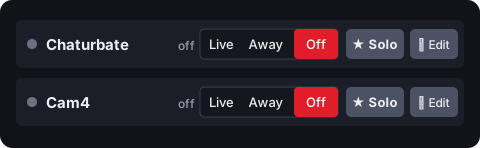
Expect Chaturbate to come on first. It needs nothing beyond your stream, so with Go live everywhere (under When I start in OBS) it's live as soon as you click Start Streaming. Cam4 waits for you: in its Broadcast window, with External Encoder selected, click Go Live. With Keep all off, each site gets nothing until you set its row to Live.
Questions
- Will 5,000 kbps cause problems on Cam4?
- Not in our testing: Cam4 accepts it. Sending Cam4's 4,000 instead would put you below Chaturbate's 1080p minimum, and both sites get the same stream.
- I'm live on Chaturbate but not on Cam4. Why?
- Cam4 also needs Go Live in its Broadcast window. Chaturbate doesn't have that step, so it goes live first. Check too that the Cam4 row in your dashboard is on Live.